
腾讯 Agent 专属邮箱来了,附CLI安装与Python API封装
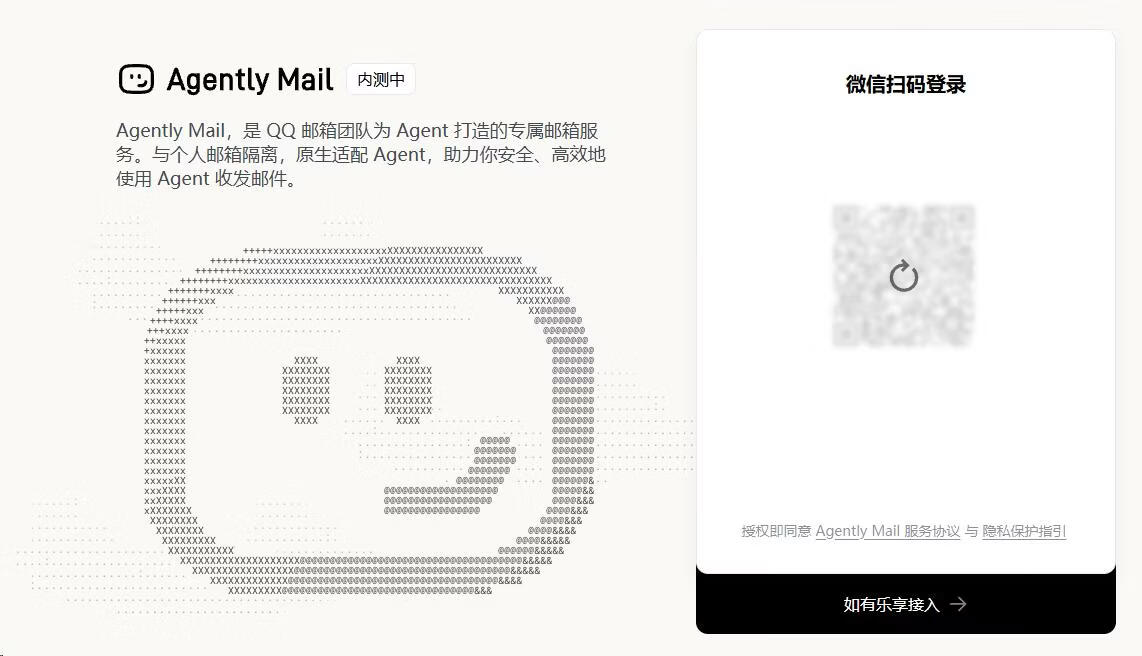
Agent Mail,是 QQ 邮箱团队为 Agent 打造的专属邮箱服务。与个人邮箱隔离,原生适配 Agent,助力你安全、高效地使用 Agent 收发邮件。
看似非常不错的功能,之前网易也推出类似服务:ClawEmail 并未激起太大的水花~
官方地址
agent.qq.com
使用限制
1,仅限微信扫码登录
2,同时拥有2个 @agent.qq.com 邮箱
3,每个邮箱每天限制发送 50封邮件,收信不限制,1Gb容量
4,发信必须使用Agent才可以
5,邮箱前缀随机分配,也可修改为自己心仪的前缀(抓紧选自己的心仪前缀)
实名认证
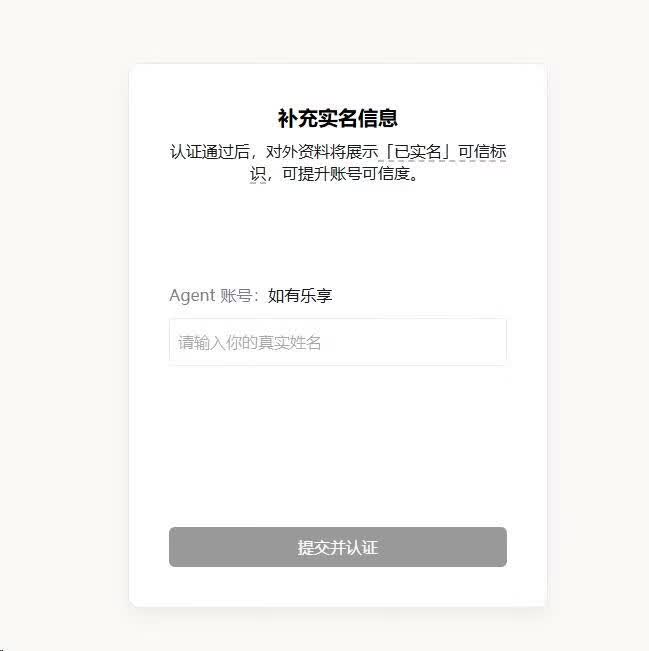
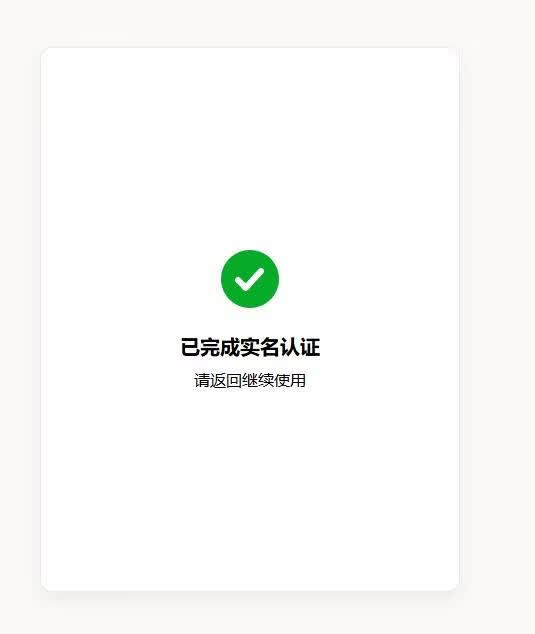
目前平台还未强制要求实名认证!实名认证仅需填写姓名,必须和微信实名姓名一致即完成实名。
简单体验
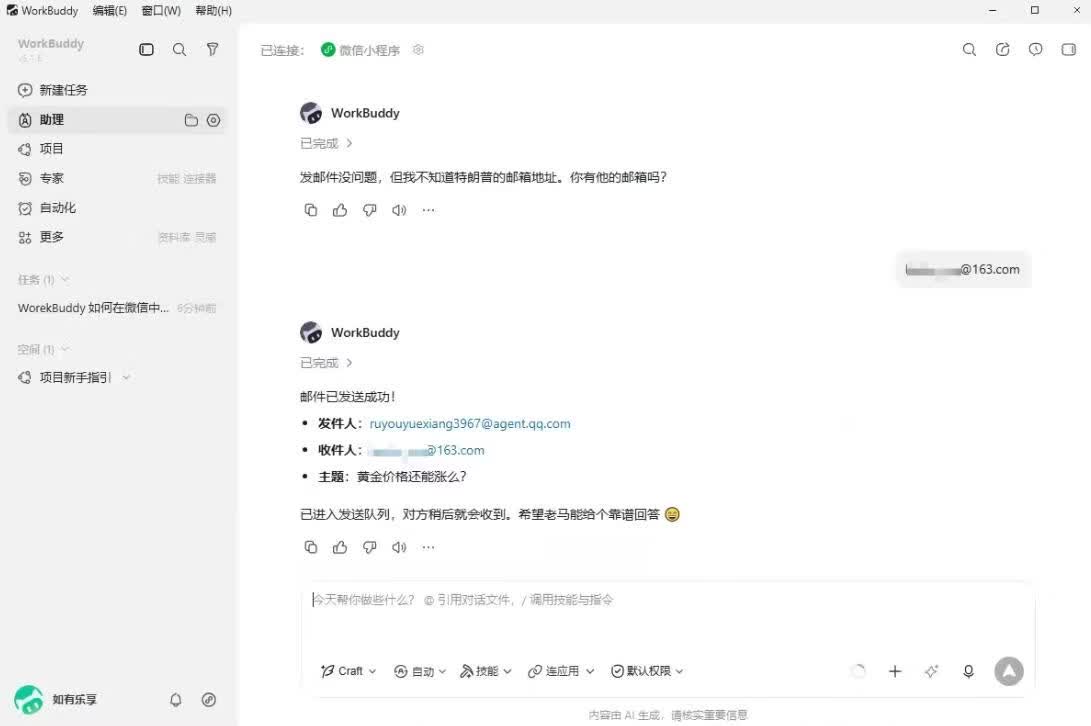
1,首先用腾讯自家的 WorkBuddy,配置好之后,确实可以发送邮件!没有太多难度!
2,这里推荐大家体验一下华为云的 AI Shell。历史文章:华为云AI Shell体验:免费4核7G云服务器,附自动保活脚本
仅需将提示词在AI Shell中发给AI
请阅读 https://agent.qq.com/doc/cli-setup.md 文档,按照步骤为我安装并配置 Agent Mail CLI。
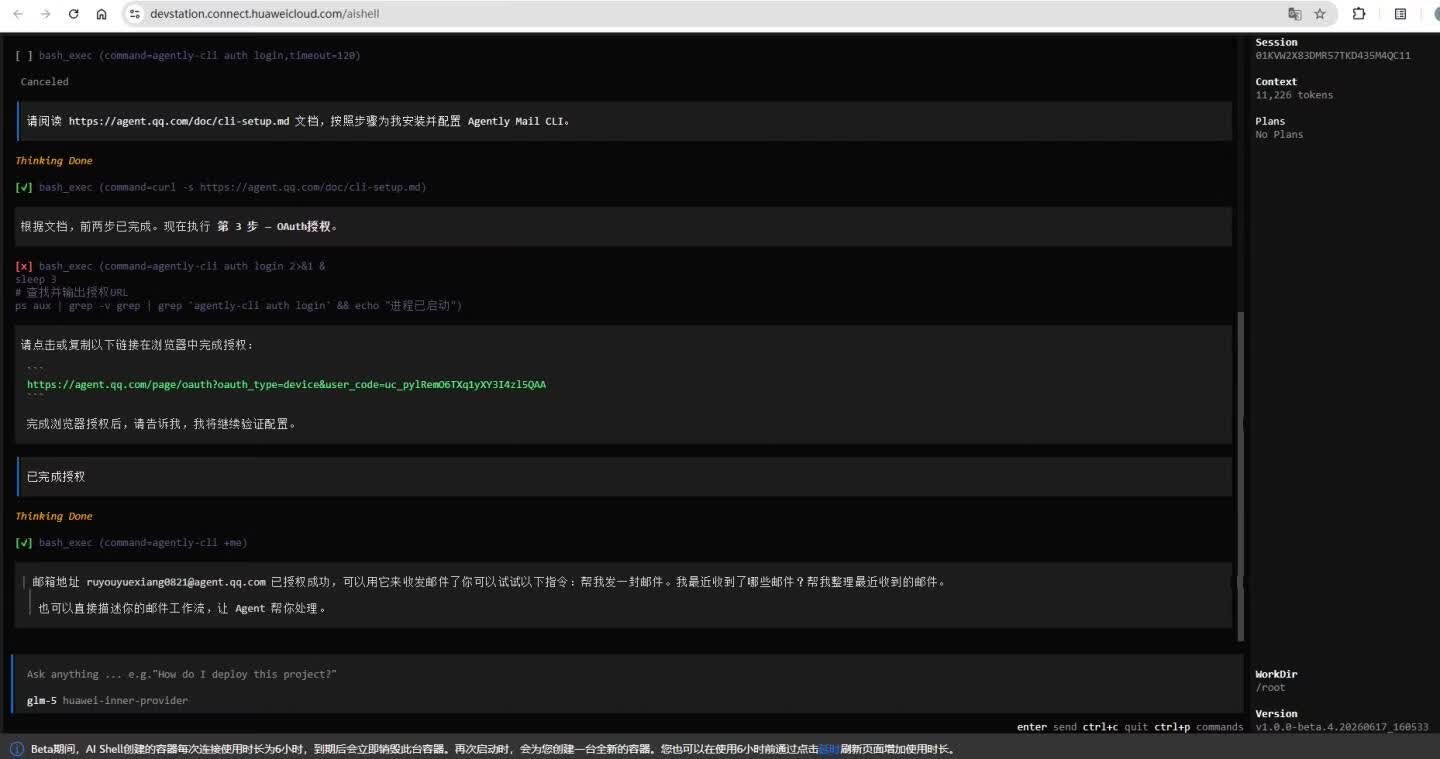
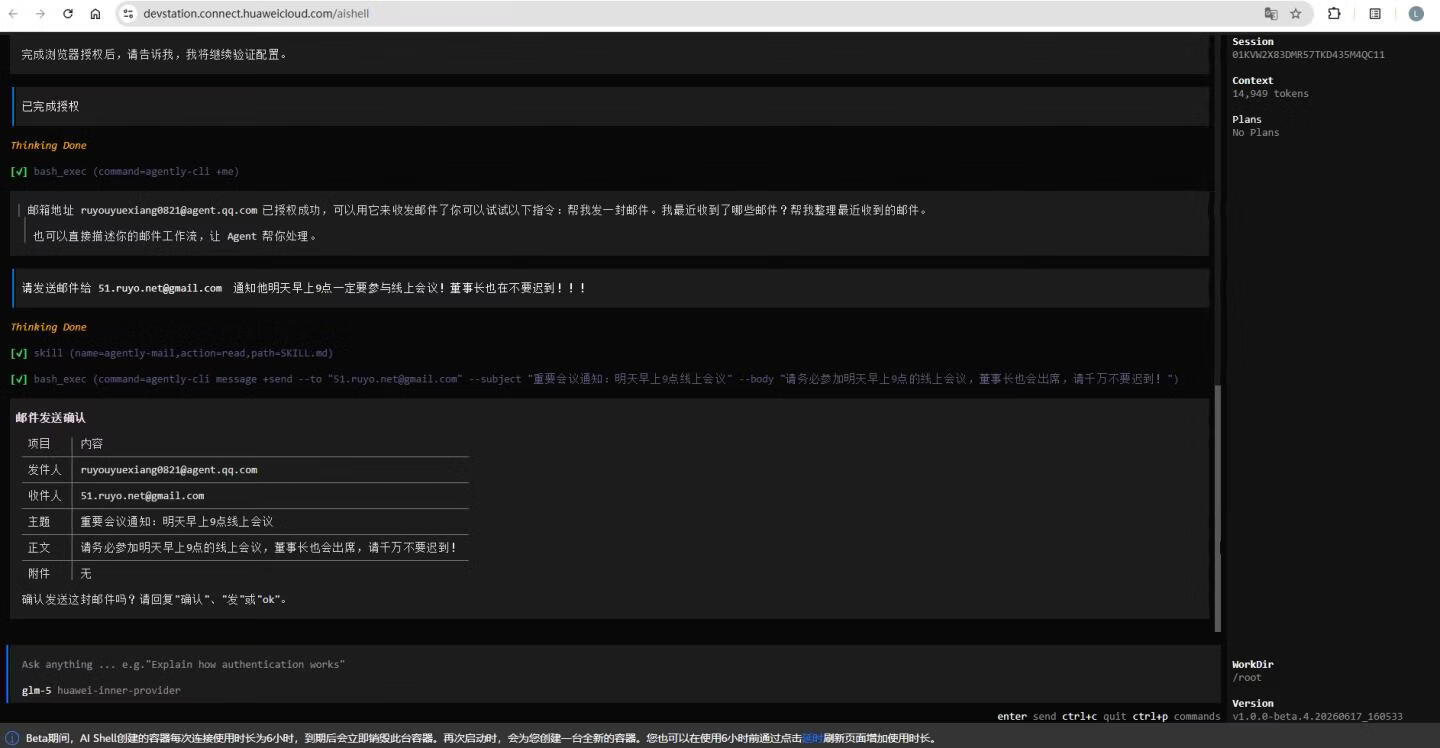
封装API
可用使用代码封装一下,利用API发信!
"""
Agently Mail API - Python wrapper for agently-cli email operations.

Usage:
    from agently_mail import send_email, list_messages, read_message, search_messages

    # Send email
    result = send_email(
        to=["recipient@example.com"],
        subject="Hello",
        body="<p>This is a test email.</p>"
    )

    # List messages
    messages = list_messages(limit=10)
"""

import subprocess
import json
import os
from typing import Optional, List, Dict, Any, Union


def _run_cli(args: List[str], input_data: Optional[str] = None) -> Dict[str, Any]:
    """
    Execute agently-cli command and return parsed JSON result.

    Args:
        args: Command arguments (e.g., ["message", "+send", "--to", "x@y.com"])
        input_data: Optional stdin data

    Returns:
        Parsed JSON response as dict

    Raises:
        RuntimeError: If command fails
    """
    cmd = ["agently-cli"] + args

    result = subprocess.run(
        cmd,
        capture_output=True,
        text=True,
        input=input_data,
        timeout=60
    )

    if result.stdout:
        try:
            return json.loads(result.stdout)
        except json.JSONDecodeError:
            pass

    if result.returncode != 0:
        raise RuntimeError(f"CLI error: {result.stderr or 'Unknown error'}")

    return {"ok": True, "data": None}


def send_email(
    to: Union[str, List[str]],
    subject: str,
    body: Optional[str] = None,
    body_file: Optional[str] = None,
    cc: Optional[Union[str, List[str]]] = None,
    bcc: Optional[Union[str, List[str]]] = None,
    attachments: Optional[Union[str, List[str]]] = None,
    body_format: Optional[str] = None,
    dry_run: bool = False,
    auto_confirm: bool = True
) -> Dict[str, Any]:
    """
    Send an email via agently-cli.

    Args:
        to: Recipient email address(es). Required.
        subject: Email subject. Required.
        body: Email body content (HTML or plain text).
        body_file: Path to file containing email body (alternative to body).
        cc: CC recipient(s).
        bcc: BCC recipient(s).
        attachments: File path(s) to attach.
        body_format: Force body format ('plain' or 'html').
        dry_run: Print API calls without executing.
        auto_confirm: Automatically confirm and send (default True).

    Returns:
        Dict with 'ok' and 'data' fields containing send result.

    Example:
        result = send_email(
            to=["user1@example.com", "user2@example.com"],
            subject="Meeting Tomorrow",
            body="<p>Hi all,</p><p>Let's meet at 10am.</p>",
            cc=["boss@example.com"]
        )
    """
    # Normalize recipients to list
    if isinstance(to, str):
        to = [to]
    if cc and isinstance(cc, str):
        cc = [cc]
    if bcc and isinstance(bcc, str):
        bcc = [bcc]
    if attachments and isinstance(attachments, str):
        attachments = [attachments]

    # Build command arguments
    args = ["message", "+send"]

    for recipient in to:
        args.extend(["--to", recipient])

    args.extend(["--subject", subject])

    if body:
        args.extend(["--body", body])
    elif body_file:
        args.extend(["--body-file", body_file])
    else:
        raise ValueError("Either 'body' or 'body_file' must be provided")

    if cc:
        for c in cc:
            args.extend(["--cc", c])

    if bcc:
        for b in bcc:
            args.extend(["--bcc", b])

    if attachments:
        for att in attachments:
            args.extend(["--attachment", att])

    if body_format:
        args.extend(["--body-format", body_format])

    if dry_run:
        args.append("--dry-run")

    # First call - get confirmation token
    result = _run_cli(args)

    # Check if confirmation is required
    if result.get("ok") and result.get("data", {}).get("confirmation_required"):
        confirmation_token = result["data"].get("confirmation_token")

        if not auto_confirm or not confirmation_token:
            # Return for manual confirmation
            return result

        # Second call - confirm and send
        args.extend(["--confirmation-token", confirmation_token])
        result = _run_cli(args)

    return result


def list_messages(
    limit: Optional[int] = None,
    folder: Optional[str] = None,
    unread_only: bool = False
) -> Dict[str, Any]:
    """
    List emails in inbox.

    Args:
        limit: Maximum number of messages to return.
        folder: Folder to list (e.g., 'inbox', 'sent').
        unread_only: Only return unread messages.

    Returns:
        Dict with 'ok' and 'data' fields containing message list.
    """
    args = ["message", "+list"]

    if limit:
        args.extend(["--limit", str(limit)])

    if folder:
        args.extend(["--folder", folder])

    if unread_only:
        args.append("--unread-only")

    return _run_cli(args)


def read_message(message_id: str) -> Dict[str, Any]:
    """
    Read a specific email message.

    Args:
        message_id: The message ID to read.

    Returns:
        Dict with 'ok' and 'data' fields containing message content.
    """
    args = ["message", "+read", "--id", message_id]
    return _run_cli(args)


def search_messages(query: str, limit: Optional[int] = None) -> Dict[str, Any]:
    """
    Search emails by keyword.

    Args:
        query: Search keyword.
        limit: Maximum number of results.

    Returns:
        Dict with 'ok' and 'data' fields containing search results.
    """
    args = ["message", "+search", "--q", query]

    if limit:
        args.extend(["--limit", str(limit)])

    return _run_cli(args)


def reply_to_message(
    message_id: str,
    body: str,
    reply_all: bool = False
) -> Dict[str, Any]:
    """
    Reply to an email message.

    Args:
        message_id: The message ID to reply to.
        body: Reply body content.
        reply_all: Reply to all recipients.

    Returns:
        Dict with 'ok' and 'data' fields containing reply result.
    """
    args = ["message", "+reply", "--id", message_id, "--body", body]

    if reply_all:
        args.append("--reply-all")

    result = _run_cli(args)

    # Handle two-phase confirmation
    if result.get("ok") and result.get("data", {}).get("confirmation_required"):
        confirmation_token = result["data"].get("confirmation_token")
        if confirmation_token:
            args.extend(["--confirmation-token", confirmation_token])
            result = _run_cli(args)

    return result


def forward_message(
    message_id: str,
    to: Union[str, List[str]],
    body: Optional[str] = None
) -> Dict[str, Any]:
    """
    Forward an email message.

    Args:
        message_id: The message ID to forward.
        to: Recipient email address(es).
        body: Optional additional body content.

    Returns:
        Dict with 'ok' and 'data' fields containing forward result.
    """
    if isinstance(to, str):
        to = [to]

    args = ["message", "+forward", "--id", message_id]

    for recipient in to:
        args.extend(["--to", recipient])

    if body:
        args.extend(["--body", body])

    result = _run_cli(args)

    # Handle two-phase confirmation
    if result.get("ok") and result.get("data", {}).get("confirmation_required"):
        confirmation_token = result["data"].get("confirmation_token")
        if confirmation_token:
            args.extend(["--confirmation-token", confirmation_token])
            result = _run_cli(args)

    return result


def upload_attachment(file_path: str) -> Dict[str, Any]:
    """
    Upload a file as attachment.

    Args:
        file_path: Path to the file to upload.

    Returns:
        Dict with 'ok' and 'data' fields containing upload result.
    """
    args = ["attachment", "+upload", "--file", file_path]
    return _run_cli(args)


def download_attachment(message_id: str, attachment_id: str, output_path: Optional[str] = None) -> Dict[str, Any]:
    """
    Download an attachment from a message.

    Args:
        message_id: The message ID.
        attachment_id: The attachment ID.
        output_path: Optional path to save the file.

    Returns:
        Dict with 'ok' and 'data' fields containing download result.
    """
    args = ["attachment", "+download", "--msg", message_id, "--att", attachment_id]

    if output_path:
        args.extend(["--output", output_path])

    return _run_cli(args)


def get_user_info() -> Dict[str, Any]:
    """
    Get current user info and alias list.

    Returns:
        Dict with 'ok' and 'data' fields containing user info.
    """
    return _run_cli(["+me"])


# Convenience function for AI callers
def mail_send(
    to: Union[str, List[str]],
    subject: str,
    body: str,
    cc: Optional[Union[str, List[str]]] = None,
    bcc: Optional[Union[str, List[str]]] = None
) -> Dict[str, Any]:
    """
    Simple send function optimized for AI callers.

    This is a simplified wrapper around send_email() for easy AI integration.

    Args:
        to: Recipient email address(es).
        subject: Email subject.
        body: Email body (HTML supported).
        cc: Optional CC recipient(s).
        bcc: Optional BCC recipient(s).

    Returns:
        Result dict with 'ok' boolean and 'data' or 'error'.

    Example:
        result = mail_send(
            to="user@example.com",
            subject="Hello",
            body="<p>Hi there!</p>"
        )
        if result.get("ok"):
            print("Email sent successfully!")
        else:
            print(f"Failed: {result}")
    """
    try:
        return send_email(
            to=to,
            subject=subject,
            body=body,
            cc=cc,
            bcc=bcc,
            auto_confirm=True
        )
    except Exception as e:
        return {"ok": False, "error": str(e)}


if __name__ == "__main__":
    # Demo usage
    import sys

    if len(sys.argv) < 4:
        print("Usage: python agently_mail.py <to> <subject> <body>")
        print("Example: python agently_mail.py user@example.com 'Hello' '<p>Hi!</p>'")
        sys.exit(1)

    result = mail_send(
        to=sys.argv[1],
        subject=sys.argv[2],
        body=sys.argv[3]
    )

    print(json.dumps(result, indent=2, ensure_ascii=False))
# Agently Mail Python API

Python 封装的 Agent Mail 发信 API,可直接被 AI 调用。

## 快速开始

```python
from agently_mail import mail_send, send_email, list_messages, read_message, search_messages

# 简单发信(推荐 AI 调用)
result = mail_send(
    to="recipient@example.com",
    subject="Hello",
    body="<p>这是一封测试邮件。</p>"
)

if result.get("ok"):
    print("发送成功!")
else:
    print(f"发送失败: {result}")
```

## API 函数

### `mail_send()` - 简单发信(AI 调用推荐)

```python
result = mail_send(
    to="user@example.com",           # 收件人(字符串或列表)
    subject="邮件主题",               # 主题
    body="<p>邮件正文</p>",           # 正文(支持 HTML)
    cc="boss@example.com",           # 抄送(可选)
    bcc="secret@example.com"         # 密送(可选)
)
```

### `send_email()` - 完整发信

```python
result = send_email(
    to=["user1@example.com", "user2@example.com"],
    subject="会议通知",
    body="<p>各位好,</p><p>明天 10 点开会。</p>",
    cc=["manager@example.com"],
    attachments=["./report.pdf"],    # 附件
    auto_confirm=True                # 自动确认发送
)
```

### `list_messages()` - 列出邮件

```python
result = list_messages(limit=10, unread_only=True)
```

### `read_message()` - 读取邮件

```python
result = read_message("msg_xxxxx")
```

### `search_messages()` - 搜索邮件

```python
result = search_messages("关键词", limit=10)
```

### `reply_to_message()` - 回复邮件

```python
result = reply_to_message("msg_xxxxx", "收到,谢谢!")
```

### `forward_message()` - 转发邮件

```python
result = forward_message("msg_xxxxx", to="colleague@example.com")
```

### `get_user_info()` - 获取用户信息

```python
result = get_user_info()
# 返回邮箱地址、配额、权限等信息
```

## 命令行使用

```bash
python agently_mail.py recipient@example.com "主题" "<p>正文</p>"
```

## 返回格式

所有函数返回统一格式:

```python
{
    "ok": True,          # 是否成功
    "data": { ... }      # 返回数据
}
```

失败时:

```python
{
    "ok": False,
    "error": "错误信息"
}
```

## 依赖

- Python 3.6+
- agently-cli(已安装并授权)
提示词
  📁 文件结构

  ```
  agent-mail-guide/
  ├── README.md                    # 主文档(安装指南 + 目录)
  ├── install.sh                   # 一键安装脚本
  ├── agent_mail_api.py            # Python API 封装(完整)
  ├── agent_prompt_template.md     # Agent 提示词模板
  └── examples.py                  # 使用示例代码
  ```

  📦 内容概览

  1. CLI 安装指南 (README.md + install.sh)

    • 前置要求检查
    • 四步安装流程
    • 常用命令速查表

  2. Python API 封装 (agent_mail_api.py)

    • AgentMailAPI 类:完整封装所有 CLI 操作
    • 类型安全:使用 Enum 和 dataclass
    • 错误处理:自定义异常类,根据 exit code 分类处理
    • 两阶段确认:自动管理 confirmation_token
    • 便捷函数:quick_send(), quick_search()

  3. Agent 提示词模板 (agent_prompt_template.md)

    • 完整系统提示词:可直接用于 Agent 系统提示
    • 场景化片段:搜索、发送、回复、下载等场景
    • Python 集成提示词:API 使用说明
    • 快速集成模板:最小集成 + 完整集成
    • 常见问题处理:FAQ 格式

  🚀 快速使用

  ```bash
  # 安装
  cd agent-mail-guide
  bash install.sh

  # 授权
  agently-cli auth login

  # Python 使用
  python examples.py
  ```

  所有文档已整理完成,可直接用于其他 Agent 集成!
版权声明:
作者:我是小马甲~
链接:https://fandai.gezi.workers.dev/19345.html
来源:如有乐享
文章版权归作者所有,未经允许请勿转载。


共有 0 条评论